
Master your chores with our free editable house cleaning schedule template excel. Grab your downloadable tracker on TidyHome.site today!
Streamline Your Chores with a Free Editable House Cleaning Schedule Template Excel
Look, I get it, cleaning after a 10-hour shift is the last thing you want to do, let alone trying to figure out which corner of your house needs scrubbing first. You get home, look at the pile of dishes, notice the dust bunnies multiplying on the stairs, and instantly feel a wave of overwhelm. Instead of attacking the mess, you end up frozen by decision fatigue, sitting on the couch scrolling through your phone while the clutter grows.
If you have ever felt like you are drowning in household chores without a lifeline, let’s take a deep breath. Here is the real talk: the problem isn’t your work ethic or your ability to keep a home tidy. The problem is your system. Without a clear, visual game plan, housekeeping feels like an endless, invisible mountain of labor.
At TidyHome.site, we are on a mission to help busy individuals, parents, and homeowners regain control of their environments through structured, stress-free household routines. The best way to transition from reactive panic-cleaning to effortless maintenance is by using a digital tool you can customize to fit your unique life. Today, we are breaking down how to maximize a free editable house cleaning schedule template excel spreadsheet to completely automate your cleaning brain.
Why Digital Spreadsheets Beat Traditional Paper Checklists
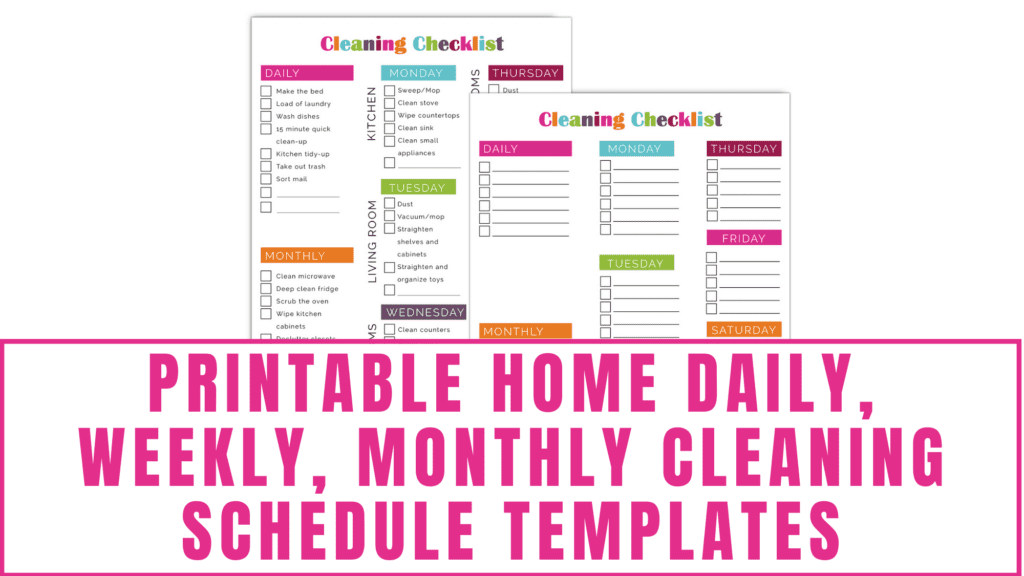
Many people start their organization journey by printing out a pretty cleaning checklist they found online. It looks great on day one, pinned to the fridge with a magnet. But by day four, life happens. A kid gets sick, a project runs late at work, or you simply don’t have the energy to complete your assigned tasks. Suddenly, your rigid paper list is out of date, and looking at the uncrossed boxes just triggers feelings of guilt.
Digital tracking via Excel completely changes the game. Unlike a fixed PDF or a paper sheet, a spreadsheet is fluid. If you miss a day, you can shift the cells with a simple drag-and-drop. You can filter by zone, assign tasks to different family members, and scale the complexity up or down depending on how much free time you have that week.
Additionally, Excel allows you to track completion data over time. By looking at your history, you can see if certain zones are consistently neglected, helping you adjust your household expectations. It is a living document that adapts to your reality instead of forcing you to conform to an impossible standard.
The Cleaning Frequency Master Blueprint
Before you open your spreadsheet program, you need to categorize your tasks by frequency. Putting every single household task into one giant daily list is the quickest way to burn out. Instead, we want to create a rolling cadence.
Here is how we organize household tasks at TidyHome.site to ensure your home management plan stays perfectly balanced and highly achievable.
| Task Frequency | Core Purpose | Example Action Items | Time Target |
| Daily Anchors | Sanitize and maintain basic order | Wipe kitchen counters, load dishwasher, 5-minute floor sweep | 15–20 minutes total |
| Weekly Deep Wins | Prevent grime build-up in specific zones | Scrub bathroom toilets, vacuum rugs, mop hard floors, wash linens | 20–30 minutes per day |
| Monthly Resets | Maintain appliances and hidden surfaces | Clean inside microwave, wipe baseboards, wash trash bins, clean filters | 1–2 hours one weekend |
| Seasonal Overhauls | Protect home value and deep-clean fabrics | Wash window panes, clean behind refrigerator, purge closets | 1 weekend per quarter |
Step-by-Step Guide to Customizing Your Free Editable House Cleaning Schedule Template Excel
Once you download your free editable house cleaning schedule template excel file from our resource hub, it is time to tailor it directly to your household needs. Follow this simple, actionable process to build a schedule that works for you.
Step 1: Input Your Specific Home Metrics
No two homes are identical. A three-bedroom suburban house with three kids and a golden retriever requires a wildly different approach than a single-person downtown apartment.
Start by navigating to the “Setup” tab of your Excel template. Enter the number of rooms you have, your specific flooring types (carpet vs. hardwood), and the names of anyone participating in the chores. The template will use this baseline data to automatically populate your customized weekly rotations, ensuring you aren’t tracking tasks for a guest bathroom you don’t even own.
Step 2: Establish Your Daily “Non-Negotiable” Anchors
Open the daily tracking sheet within your spreadsheet. Here, you want to list 3 to 5 small tasks that keep your home sanitary and functioning. These are the items that must happen regardless of how busy your day is.
Keep the barrier to entry incredibly low. For example, make your daily anchors: wiping the main kitchen island, running the dishwasher overnight, and managing entry door clutter. When these tasks are clearly blocked out in Excel, you can check them off digitally or via a mobile spreadsheet app in seconds, building instant momentum for the rest of your day.
Step 3: Divide and Conquer Your Weekly Rotations
This is where the magic happens. Instead of cleaning your entire house on Saturday morning, use the weekly tab to assign one zone to each weekday.
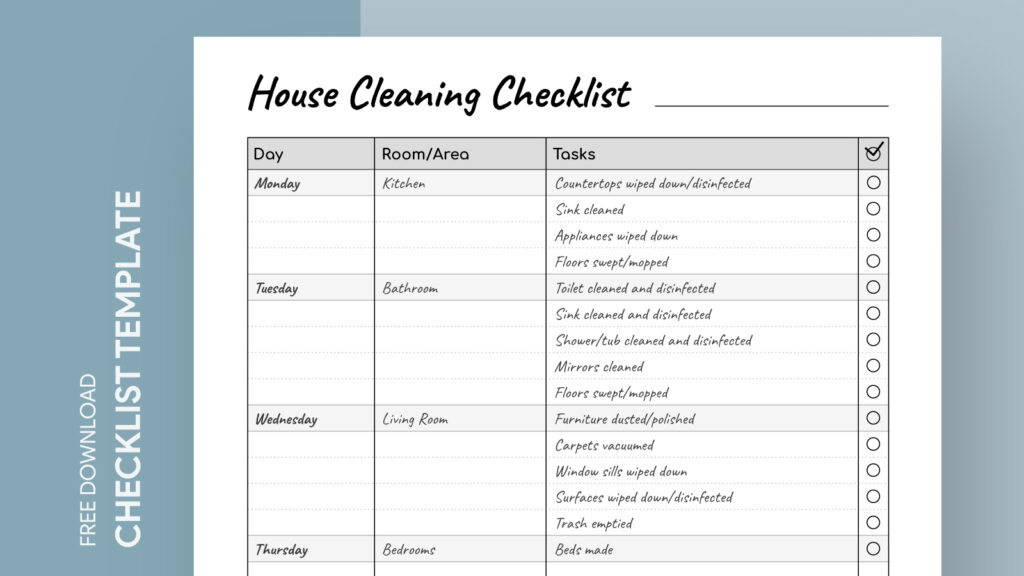
In your spreadsheet grid, assign Kitchen Deep Wins to Monday, Bathrooms to Tuesday, Bedrooms to Wednesday, and Living Areas to Thursday. Leave Friday open as a grace day to catch up on anything you missed during the week. By dedicating just 20 minutes a day to a specific zone, your weekends remain completely free for rest, hobbies, and family time.
Step 4: Automate Assignment Tracking
If you share a household with roommates, a partner, or children, accountability is crucial. In your Excel template, use the dropdown menus in the “Assigned To” column to allocate tasks to specific people.
You can use basic conditional formatting—which is already pre-built into our TidyHome.site templates—to automatically color-code the rows based on who is responsible. If Sarah’s tasks turn blue and Michael’s turn green, everyone can see there responsibilities at a glance, completely removing the need for nagging or constant reminders.
Step 5: Adjust the System Based on Real-World Data
At the end of your first two weeks, review your spreadsheet tracker. Did you complete 100% of your kitchen goals but consistently miss your bathroom cleaning targets? If so, the schedule isn’t a failure—it is simply telling you that your bathroom expectations are too high or your time blocking is off.
Edit the cells to reduce the frequency of difficult tasks or swap days to better match your natural energy levels throughout the week. The beauty of digital tracking is that you can adjust your shedules indefinitely until you find the sweet spot.
Three Common Errors When Setting Up Digital Cleaning Templates
Even with a high-quality spreadsheet tool, it is easy to accidentally self-sabotage your home organization goals. Keep an eye out for these three structural traps during your setup phase.
Creating an Overwhelming Task List
The most common mistake is tracking too many micro-tasks. You do not need to list “pick up individual toys” or “wipe left counter faucet” as separate line items. Group your chores into broader, actionable categories like “Surface Polish” or “Floor Maintenance.” If your spreadsheet has 200 rows for a single week, your brain will interpret the sheet as a source of stress rather than a helpful guide.
Ignoring Your Real-World Calendar
Your cleaning schedule cannot exist in isolation from your work and social life. If your kids have soccer practice late into the evening on Wednesdays, do not schedule your heaviest bathroom cleanning tasks for Wednesday night. Align your low-energy cleaning days with your busiest calendar days to ensure you don’t break your streak.
Forgetting to Check the Sheet Consistently
A tracking system only works if you interact with it regularly. Keep the Excel file bookmarked on your phone’s home screen, or leave it open as a persistent tab on your work laptop. Checking off those boxes digitally provides a small hit of dopamine that reinforces the habit, keeping you motivated to maintain the routine long-term.
Simplify Your Housework and Reclaim Your Weekends
You do not have to live in a cycle of constant cleaning stress, and you certainly don’t have to carry the mental load of managing a household all by yourself. By offloading your routine onto a digital template, you free up valuable mental bandwidth, eliminate the daily guesswork, and turn home maintenance into a predictable, low-stress background process. You deserve a clean, peaceful home that supports your lifestyle instead of draining your remaining energy.
If you are ready to stop feeling overwhelmed by your to-do list and start managing your space with true confidence, we are here to support you. Explore TidyHome.site today to download your free editable house cleaning schedule template excel file, subscribe to our premium weekly schedule checklists, and discover specialized household routines designed to keep your home pristine without the anxiety. Let’s make home organization practical, flexible, and completely achievable!